
 11
11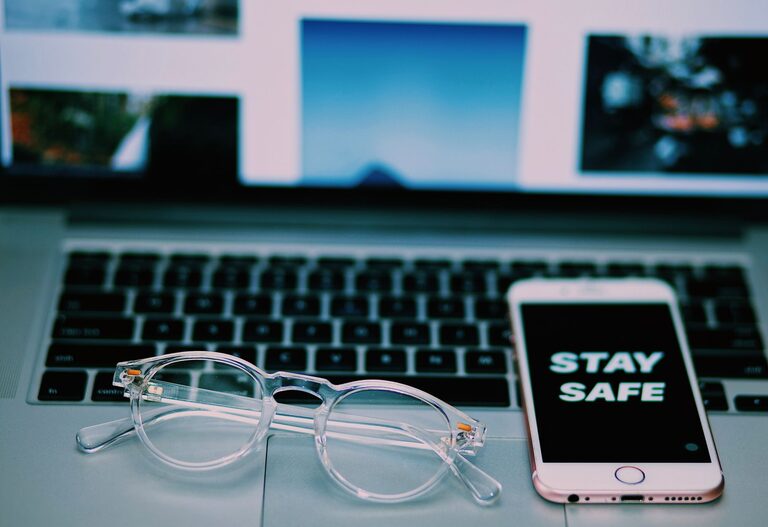
Keeping your phone and keyboard clean is essential not only for hygiene but also for maintaining the longevity and performance of your devices. Everyday use exposes these gadgets to dirt, oils, dust, and germs, which can accumulate and affect their functionality. However, cleaning them improperly can lead to damage. In this guide, we’ll show you safe, simple steps to clean your phone and keyboard effectively without causing harm.
Phones and keyboards are among the most frequently touched items in our daily lives. They can harbor bacteria and viruses, increasing the risk of spreading germs. Moreover, accumulated dust and grime can interfere with keys or touchscreen sensitivity. Regular cleaning helps:
– Reduce germs and allergens
– Improve device responsiveness
– Prolong the life of your electronics
– Keep them looking new and presentable
Before starting, gather these safe cleaning supplies:
– Microfiber cloths (soft and lint-free)
– Isopropyl alcohol (70% or less concentration) or electronics-safe cleaning spray
– Cotton swabs or soft-bristled toothbrush
– Compressed air canister (optional)
– Distilled water (optional for dilution)
Avoid harsh cleaners like bleach, ammonia, or abrasive materials which can damage screens and surfaces.
—
# How to Clean Your Phone Safely
Phones have delicate screens and internal components sensitive to moisture and chemicals. Follow these steps to clean your phone safely:
Always turn off your phone and disconnect it from chargers or accessories before cleaning to avoid short circuits or damage.
Take off any case, screen protectors, or attachments to clean every surface thoroughly.
Gently wipe the screen and back of your phone with a clean microfiber cloth to remove fingerprints and dust.
Mix equal parts of distilled water and isopropyl alcohol (70% or less) in a small spray bottle. Alternatively, use a screen-safe cleaning spray designed for electronics.
Spray the cleaning solution onto the microfiber cloth — never directly onto the phone. The cloth should be damp, not wet.
Gently wipe the front, back, and sides of your phone. Avoid getting moisture into ports, speakers, or buttons.
Dip a cotton swab lightly in the cleaning solution to clean hard-to-reach areas like around the camera lens or buttons.
Use a dry microfiber cloth to remove any remaining moisture and buff the surfaces.
Wash silicone or rubber cases with warm soapy water and let them air dry completely before putting them back on.
—
# How to Clean Your Keyboard Safely
Keyboards collect dust, crumbs, skin oils, and germs from constant use. Here’s how to clean a keyboard, whether it’s mechanical, membrane, or part of a laptop.
For external keyboards, unplug from your computer. For laptops, shut down completely.
Turn your keyboard upside down and gently shake or tap to dislodge loose dust and crumbs.
Blow compressed air between the keys to remove dust and particles. Hold the can upright to avoid spraying liquid.
Dampen a microfiber cloth with a mix of equal parts distilled water and isopropyl alcohol. Wipe the keyboard surface gently, avoiding excess moisture.
Use cotton swabs or a soft toothbrush dipped lightly in the cleaning solution to clean between the keys.
If you are comfortable, carefully remove keycaps using a keycap puller to clean underneath. Wash keycaps separately with mild soap and water, and dry fully before replacement.
Before plugging back in or turning on, allow your keyboard to dry thoroughly to prevent damage.
—
# Tips to Maintain Clean Devices
– Wash your hands before using devices to reduce oils and germs.
– Avoid eating or drinking near your phone and keyboard.
– Clean your devices regularly (weekly or biweekly) depending on usage.
– Use screen protectors and keyboard covers to minimize dirt buildup.
– Store devices in clean, dust-free environments when not in use.
—
Cleaning your phone and keyboard doesn’t have to be complicated. With gentle cleaning agents, soft cloths, and some care, you can keep your devices hygienic and functioning well without risk of damage. Make this a regular habit to improve your tech experience and personal hygiene.
Remember, avoid harsh chemicals and moisture exposure, and always power off your devices before cleaning. Following these steps will help you enjoy your gadgets for years to come.